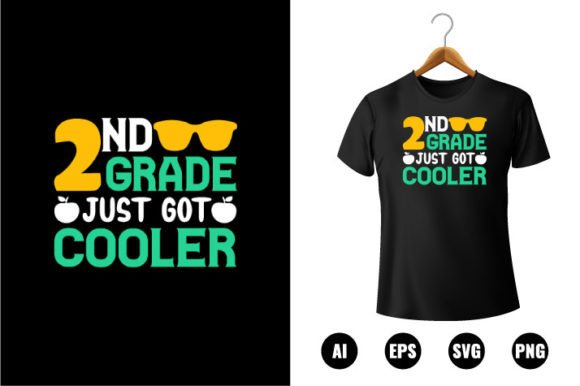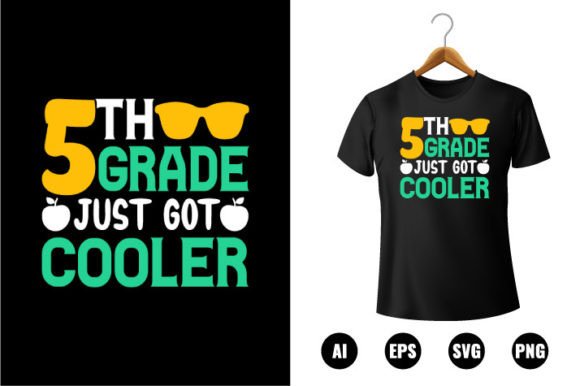
5th Grade Just Got Cooler T-shirt Design
Back to school doesn’t have to mean predictable. This 5th Grade Just Got Cooler T-shirt Design flips the script on classroom apparel—blending playful confidence with clean, professional-grade digital artistry. It’s not just a slogan on fabric; it’s a versatile creative asset built for real-world use across print, craft, and digital platforms.
A Design Built for Real Creative Work
What sets this design apart isn’t just its upbeat message—it’s the technical foundation. You’ll receive AI, EPS, PNG, and SVG files, all created in Adobe Illustrator CC and optimized at 300 DPI. That means crisp edges whether you’re printing on cotton tees, engraving acrylic keychains, or scaling the artwork to fit a 24” x 36” classroom banner. Every element is 100% vector-based: fully resizable without pixelation, endlessly editable, and color-customizable across the full spectrum.
No layer locking, no rasterized text, no hidden traps. Just organized vector shapes—each grouped logically, named intuitively, and ready for immediate adjustment. Whether you’re swapping out “Cooler” for “Braver,” adding a student’s name, or matching school colors, edits take seconds—not hours.
Creative Uses Beyond the T-shirt
Yes, it works beautifully on apparel—but that’s only the starting point. Think of this design as a modular creative toolkit:
- Classroom culture building: Print on canvas banners for hallway displays or cut vinyl decals for locker doors—reinforcing growth mindset with visual consistency.
- Student-led projects: Let fifth graders personalize versions for a “Design Our Class Identity” unit—changing colors, adding icons (like rockets or lightbulbs), or combining with their own hand-drawn elements.
- Educator branding: Teachers can adapt the layout for tote bags, lanyards, or email newsletter headers—keeping tone warm and approachable while signaling professionalism.
- Small business expansion: Print shops, Etsy sellers, or school PTA vendors can bundle the file with complementary designs (e.g., “Science Squad” or “Math Masters”) to create themed back-to-school collections.
- Digital integration: Drop the SVG into Canva or Figma to build animated social posts, printable reward certificates, or interactive Google Slides backgrounds—all while preserving editability.
Adapting Across Audiences and Goals
The strength of the 5th Grade Just Got Cooler T-shirt Design lies in how easily it shifts tone and function depending on who’s using it—and why.
For educators: Keep the core message intact but simplify the layout for younger readers—swap complex fonts for bold, dyslexia-friendly type, or add subtle icons (a graduation cap, a rocket, an open book) to reinforce meaning visually. Use muted, accessible color palettes for inclusive classroom materials.
For designers and freelancers: Treat the file as a launchpad—not a final product. Duplicate layers to experiment: try a retro 90s halftone version for vintage appeal, convert outlines to sketch-style strokes for a hand-drawn look, or isolate individual letters to build custom monograms. The vector structure makes iteration fast and precise.
For small business owners: Focus on scalability and brand alignment. Import the AI file directly into your production workflow—apply consistent Pantone swatches across all merchandise, export batch-ready PNGs for POD platforms, or generate white-label variants for different schools (just swap the grade level and logo). Consistency builds trust; flexibility keeps costs low.
Staying Clear, Consistent, and Original
When adapting any pre-made design, clarity starts with intention. Ask: *Who sees this first—the student, the parent, the principal? What action should it support?* A t-shirt worn daily needs legibility at arm’s length; a sticker on a water bottle benefits from bold contrast and minimal detail.
To keep results audience-friendly:
- Test readability early: Zoom out to 25% in Illustrator—can you still recognize the phrase and feel its energy?
- Limit color changes to purpose: Don’t recolor just because you can. Use hue shifts to signal meaning—blue for calm focus, orange for energetic participation, green for growth milestones.
- Preserve vector integrity: Avoid flattening layers or converting to outlines unless absolutely necessary for a specific output (e.g., laser engraving software requirements). Keep editable versions archived separately.
- Add value, not clutter: Resist over-designing. One thoughtful icon or a single accent shape often communicates more than three competing elements.
Ideas That Spark Practical Action
Here are three grounded, actionable ways to bring this design into your workflow—no vague inspiration, just clear next steps:
- Launch a “Class Identity Kit”: Bundle the 5th Grade Just Got Cooler T-shirt Design with matching SVGs of stars, pencils, and lightbulbs. Offer it as a downloadable resource for teachers building classroom norms—include a one-page PDF guide on how to mix and match elements in free tools like Inkscape or Google Drawings.
- Create a limited-run merch line: Use the vector file to produce 50 high-quality tees for a local school’s “Fifth Grade Kickoff Day.” Photograph students wearing them, then license those images (with permission) for future marketing—building authentic social proof while staying compliant.
- Build a cross-grade series: Use the same layout logic to develop “4th Grade Just Got Curious” and “6th Grade Just Got Ready”—maintaining visual continuity across grade levels while honoring developmental differences. Schools love cohesive, scalable systems.
This isn’t about chasing trends. It’s about having reliable, well-built creative assets—ones that save time, reduce friction, and leave room for your voice, your values, and your audience’s real needs. The 5th Grade Just Got Cooler T-shirt Design delivers that balance: spirited but substantial, fun but functional, simple on the surface—and deeply capable underneath.