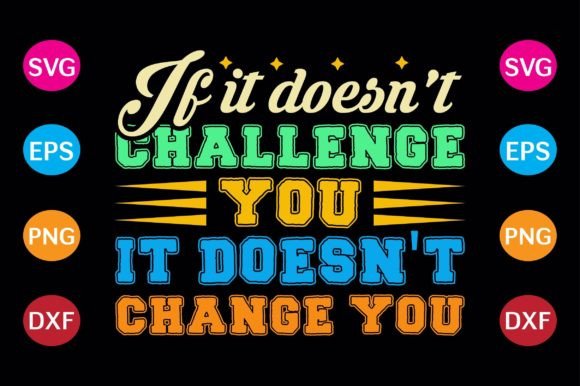
If It Doesn’t Challenge You, It Doesn’t Change You
That phrase isn’t just motivational wallpaper—it’s a quiet truth about growth. Whether you’re launching a side hustle, returning to school after years away, stepping into a new role, or simply trying to show up more intentionally in daily life, real progress rarely happens inside comfort. That’s why “If It Doesn’t Challenge You, It Doesn’t Change You” resonates so deeply with adults aged 20–50: it names the friction behind meaningful transformation—without oversimplifying it.
As a back-to-school T-shirt design, this phrase carries layered meaning. It speaks to students re-entering classrooms, educators refreshing their approach, professionals upskilling mid-career, and creators building something new from scratch. But here’s what often gets overlooked: the design itself is only as effective as how well it’s prepared for real-world use. A powerful message loses impact if the files don’t work—or worse, if they create extra work instead of saving it.
Common Missteps When Using This Design
Many people assume that because a design looks great on screen, it’s ready for cutting, printing, or sharing. That’s not always true—and small oversights can lead to big delays or disappointment.
One frequent mistake is downloading only the PNG file and assuming it’s sufficient for vinyl cutting or embroidery digitizing. PNGs are raster images—they’re pixel-based, which means they scale poorly. Enlarge them too much, and edges blur, text softens, and fine details vanish. That crisp “Challenge You / Change You” contrast? It may turn muddy or illegible on a large shirt or heat-transfer application.
Another oversight is skipping file compatibility checks before purchasing. Not all design software reads every format equally. For example, Silhouette Studio (especially older versions) handles DXF better than EPS, while Cricut Design Space works best with SVG—but only if the SVG is clean, ungrouped, and uses compatible paths. If the file arrives with embedded fonts converted to outlines incorrectly—or with hidden layers or locked objects—you’ll waste time troubleshooting instead of creating.
Some buyers also miss that resolution matters differently across formats. A “high-resolution PNG” sounds reassuring, but if it’s saved at 72 DPI (standard web resolution), it won’t hold up when printed at 300 DPI on fabric or signage. Likewise, an EPS file labeled “vector” might still contain raster elements—making it less flexible than advertised.
What to Check Before You Download or Use It
Before opening that ZIP file, ask yourself three practical questions:
- What’s my end goal? Are you cutting with a Cricut? Printing with a DTG printer? Sending to a local screen printer? Each path has different format and prep requirements.
- What software am I using—and what does it actually need? Don’t guess. Check your tool’s documentation: Does it prefer SVG with no compound paths? Does it require DXF with closed vectors? Does it accept EPS at all—or only certain versions?
- Is the file truly production-ready? Open it in your software first. Can you select individual letters? Do colors separate cleanly? Is the design centered and sized appropriately for standard adult tees (e.g., ~11" wide for front chest placement)?
For instance, one educator ordered this design to print on student welcome shirts—only to discover the SVG had overlapping stroke effects that didn’t render correctly on her school’s RIP software. She spent two hours re-tracing paths instead of focusing on lesson prep. A quick test in her workflow beforehand would’ve flagged that.
Better Choices Start With Clarity
You don’t need advanced design skills to avoid these pitfalls—you just need intentionality. Here’s how to move forward wisely:
- Download the full ZIP—not just one file. SVG gives you scalability and editing freedom; DXF ensures compatibility with many cutting machines; EPS offers broad professional print support; and high-res PNG (ideally 300 DPI, transparent background) serves as a reliable visual reference or web-ready version.
- Verify sizing in your software before cutting or sending to print. Most vector files open at arbitrary sizes. Scale it to match your intended placement—e.g., 10–12 inches wide for a standard unisex tee front—and lock proportions.
- Test cut or print a small version first. Especially with layered or script-style lettering, material thickness and blade depth matter. A quick test on scrap fabric or cardstock reveals alignment, spacing, and readability issues early.
- Respect the message by honoring the medium. “If It Doesn’t Challenge You, It Doesn’t Change You” gains credibility when applied thoughtfully—not rushed. Taking 10 minutes to check files isn’t slowing down; it’s aligning effort with outcome.
This design works best when it reflects your values—not just visually, but functionally. That means choosing tools and processes that support clarity, consistency, and confidence. Whether you’re a freelancer designing merch for a client, a teacher preparing classroom materials, or a parent customizing spirit wear for a school event, the right file setup helps you communicate with precision and purpose.
Why This Matters Beyond the Shirt
A T-shirt is rarely just clothing. It’s a signal. A conversation starter. A reminder worn in plain sight. When someone sees “If It Doesn’t Challenge You, It Doesn’t Change You” on your chest, they’re not just reading words—they’re sensing intention. That impression deepens when the design is sharp, legible, and professionally executed.
But more importantly, the discipline you apply to selecting and preparing this file mirrors the mindset the phrase describes. Growth isn’t passive. It asks you to pause, verify, adjust, and refine—even in small things like checking vector paths or confirming DPI. Those micro-decisions add up. They build habits of care, attention, and readiness—the very qualities that help adults navigate change without losing momentum.
So yes—this is a digital download. Yes—it includes SVG, DXF, EPS, and high-resolution PNG files. But what it really offers is permission to engage deliberately: with your goals, your tools, and the quiet courage it takes to grow, one thoughtful choice at a time.